


Complete Rhythm Trainer
4.6191.00 Reviews
App Specs
- Version
- 1.7.4-126 (121126)
- Updated On
- License
- Free
- Downloads
- 500,000+
- Developer
- Binary Guilt Software
- Categories
- Music
- Platform
- Android, iOS
Screenshots
 Analysis by AppCompare
When I want to practise rhythm without setting up a full lesson, I look for exercises that give me a clear target and make it easy to notice where my timing slips. Complete Rhythm Trainer is built around that kind of focused practice: it is a music game from Binary Guilt Software, aimed at helping musicians work on rhythm through interactive exercises. I’d recommend it most to people who want a structured routine, rather than a replacement for playing with other musicians.
Small goals make practice easier to begin
The useful thing about a rhythm-training game is that it gives a practice session a shape. Instead of opening a metronome and wondering what to work on, I can approach an exercise with a specific rhythmic task in mind. That makes the app a natural fit for a short warm-up before picking up an instrument, or for a few minutes of concentrated practice when a longer session is not realistic.
I’d use it with a modest goal: work carefully through a pattern, listen for the pulse, and repeat the parts that feel uncertain. Trying to race through every exercise would miss the point. Rhythm improves through attention and repetition, and a quick result is not necessarily evidence that a pattern has become dependable at a slower, more musical tempo.
Progress is most useful when it changes what you practise
Scores and feedback can help make practice feel purposeful, especially when I compare a new attempt with my own earlier performance. I treat that feedback as a clue, not a verdict on my musicianship. If I miss a beat, I want to identify whether I rushed, lost the pulse, or struggled to place a particular rhythm, then return to the exercise with that in mind.
A practical approach is to stop after a difficult attempt and say the rhythm aloud or tap it before trying again. That small step can reveal whether the problem is reading the pattern, keeping a steady pulse, or coordinating the response. It also prevents score-chasing from taking over: the better measure of progress is whether I can reproduce the pattern comfortably, not just whether I can get through it once.
Challenge works best when I choose a sensible pace
The game-like structure gives practice a reason to continue, but a harder challenge is only helpful when I can still hear what I am doing. If a pattern feels unfamiliar, I would rather repeat it attentively than push ahead just to reach the next goal. Building a reliable sense of time takes patience, and rushing can turn a useful exercise into a frustrating one.
For an everyday session, I might open the app while waiting for an instrument lesson or before practising a song. I would spend a few focused minutes on a rhythm that has been giving me trouble, then test that feeling away from the screen by clapping or playing it on my instrument. That transfer matters: the app can help train timing, but applying the skill in actual music is still my responsibility.
Worth Reading Before You Choose

EA SPORTS FC Mobile 26 Is a Bigger Football Game, but It Takes Time

Flipboard Shows What News Apps Must Do Beyond the Feed

Switching to Android Auto Means Rethinking Your Driving Routine

Google Calendar Makes a Crowded Week Easier to Manage

Ludo King Makes the Most of the Minutes Between Plans

Baby Panda World Brings Quick Play to Modern Phones, but Its Game Library Feels Busy
Who will get the most from it
I think it is best suited to learners who enjoy clear exercises and want a regular way to work on timing. A beginner can use a structured task to get comfortable with rhythm, while a more experienced player can use short practice bursts to bring attention back to patterns they tend to rush or flatten. The game format may also help someone who finds an open-ended metronome session too dull to stick with.
It is less suitable for someone looking for a complete music course, instrument instruction, or ensemble practice. A rhythm exercise cannot reproduce the give-and-take of playing with a drummer, band, or accompanist, and it does not replace learning a piece in its musical context. If my main goal were to practise a specific song, record performances, or play with other people, I would choose a tool or practice setting designed for that instead.
How it fits beside a metronome or music lesson
A conventional metronome is better when I simply need a steady pulse while practising scales, a passage, or a song. It is direct and flexible, but it leaves me to invent the exercise and judge my own consistency. This game takes a more guided, challenge-based approach, which can make rhythm work easier to start when I want a defined task rather than a click track.
It also occupies a different place from lessons. A teacher can explain how a rhythm sits in a phrase, correct technique, and adapt the work to my playing; an app offers a convenient way to practise independently between those conversations. I would use the two together when possible: learn the musical reason for a pattern in a lesson, then use targeted exercises to reinforce the timing.
Getting Started with Complete Rhythm Trainer
From the moment I downloaded the Complete Rhythm Trainer, I was intrigued. The app has a clean and intuitive interface that makes navigation a breeze. It's available for both Android and iOS, so no matter what device you're using, you can dive right in. The app focuses on helping you improve your rhythm skills through a series of engaging exercises.
Features That Hit the Right Note
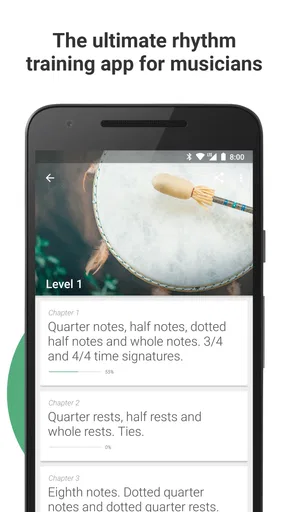
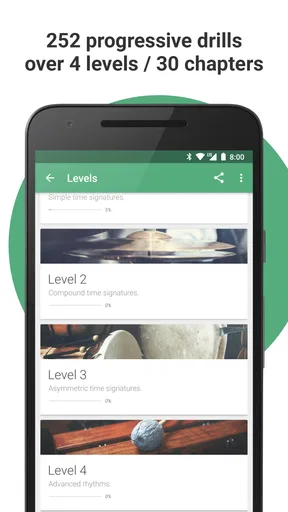
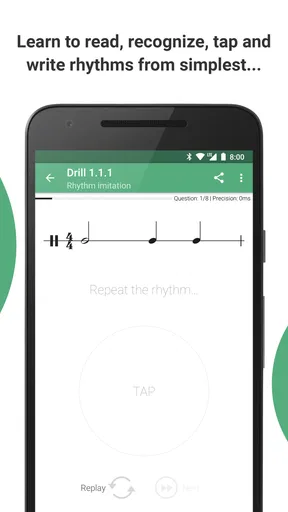
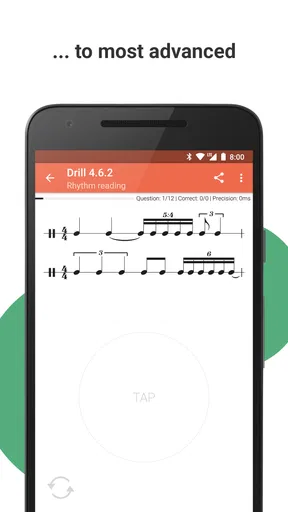
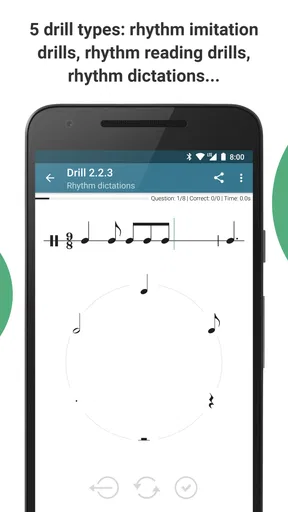
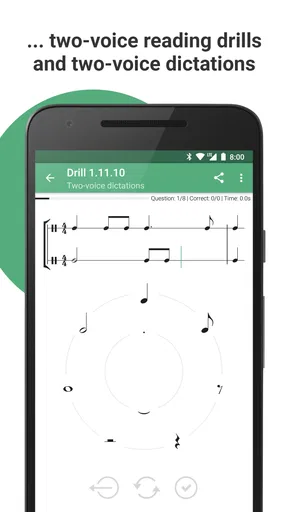
One of the things I love about this app is its comprehensive range of exercises. Whether you’re a beginner or have been playing for years, there’s something for everyone. The exercises are designed to improve your sense of rhythm, timing, and coordination. The app covers everything from simple beats to complex patterns.
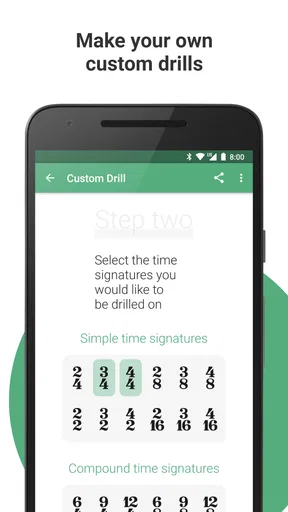
Another standout feature is the customizable metronome. It allows you to adjust the tempo and select different time signatures, which is perfect for tailoring the exercises to your current skill level. Plus, the app provides detailed feedback on your performance, so you know exactly where you need to improve.
Interactive Learning Experience
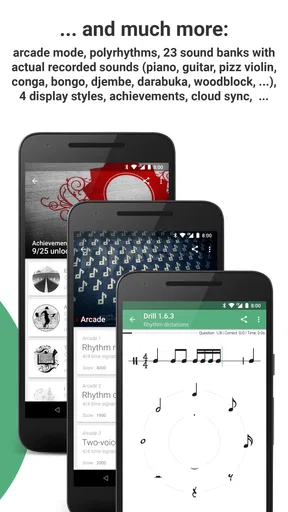
Learning with the game feels more like a game than a lesson, thanks to its interactive approach. The app includes a variety of challenges that keep you engaged and motivated. I found myself getting hooked on trying to beat my previous scores!
One of the coolest aspects is the real-time feedback feature. As you play along with the exercises, the app provides visual and auditory cues to help you stay on beat. It’s like having a personal rhythm coach right in your pocket.
Community and Support
It’s not just about practice; it’s about being part of a community. The app connects you with fellow learners where you can share tips, tricks, and experiences. There’s also excellent support available if you ever run into any technical issues or have questions about using the app.
Why You Should Give It a Try
If you’re serious about improving your rhythm skills, this is a compelling option. It’s user-friendly, packed with features, and offers a fun way to learn. Whether you're prepping for a gig or just playing for fun, this app can help you achieve your musical goals.
It is free to start, with optional in-app purchases priced from $0.99 to $9.99 per item. The game is rated for Everyone, has a 4.6 average from around 4.7 thousand ratings, and has been installed over 500 thousand times. It first appeared on April 8, 2019; version 1.7.3-125 (121125) supports Android 5.0 and later.
My main caution is to keep practice goals realistic and treat feedback as guidance rather than a guarantee of musical fluency. A high score on an exercise does not automatically mean I can hold the same groove in a song, and the challenge format may not appeal to players who prefer quiet, entirely self-directed practice. For those who enjoy having a task to tackle, though, it can make rhythm work easier to return to.
In a world where every beat counts, having the right tool to perfect your rhythm is crucial. I’d give it a try if you want focused exercises to fit around your normal playing routine, while keeping a metronome, lessons, and real musical practice in the mix. The strongest reason to keep it around is simple: it gives me a concrete way to spend a few minutes listening more carefully to time.
Pros
- Comprehensive lesson variety.
- Customizable difficulty levels.
- Intuitive user interface.
- Offline mode available.
- Supports multiple languages.
Cons
- Limited free content.
- Occasional app crashes.
- Ads can be intrusive.
- Requires large storage space.
- No dark mode option.
FAQs for Complete Rhythm Trainer
What is Complete Rhythm Trainer?
Complete Rhythm Trainer is an educational app designed to help users improve their rhythm skills through interactive exercises and lessons. It's suitable for musicians of all levels looking to enhance their timing and musicality. The app provides a comprehensive set of tools and challenges to make practice engaging and effective.
Is Complete Rhythm Trainer suitable for beginners?
Yes, Complete Rhythm Trainer is designed for users of all skill levels, including beginners. The app offers a wide range of exercises starting from basic rhythms to more complex patterns, making it accessible and beneficial for those just starting their musical journey as well as advanced musicians.
What features does Complete Rhythm Trainer offer?
Complete Rhythm Trainer includes features such as customizable exercises, a comprehensive library of rhythmic patterns, real-time feedback, progress tracking, and various difficulty levels. It also offers practice modes like sight-reading and playback to challenge users in different ways, ensuring a well-rounded rhythm training experience.
Are there in-app purchases or ads in Complete Rhythm Trainer?
Complete Rhythm Trainer may include in-app purchases that unlock additional features or content. This might include advanced exercises, additional rhythmic styles, or personalized feedback options. The presence of ads can vary, so it's advisable to check the app description on the store page for specific details regarding monetization.
Can Complete Rhythm Trainer be used offline?
Yes, Complete Rhythm Trainer can be used offline, which is ideal for practice on the go without worrying about internet connectivity. This allows users to continue their rhythm training anytime and anywhere, providing flexibility and consistency in their practice routine.


